

Security Starts with Strong Passwords
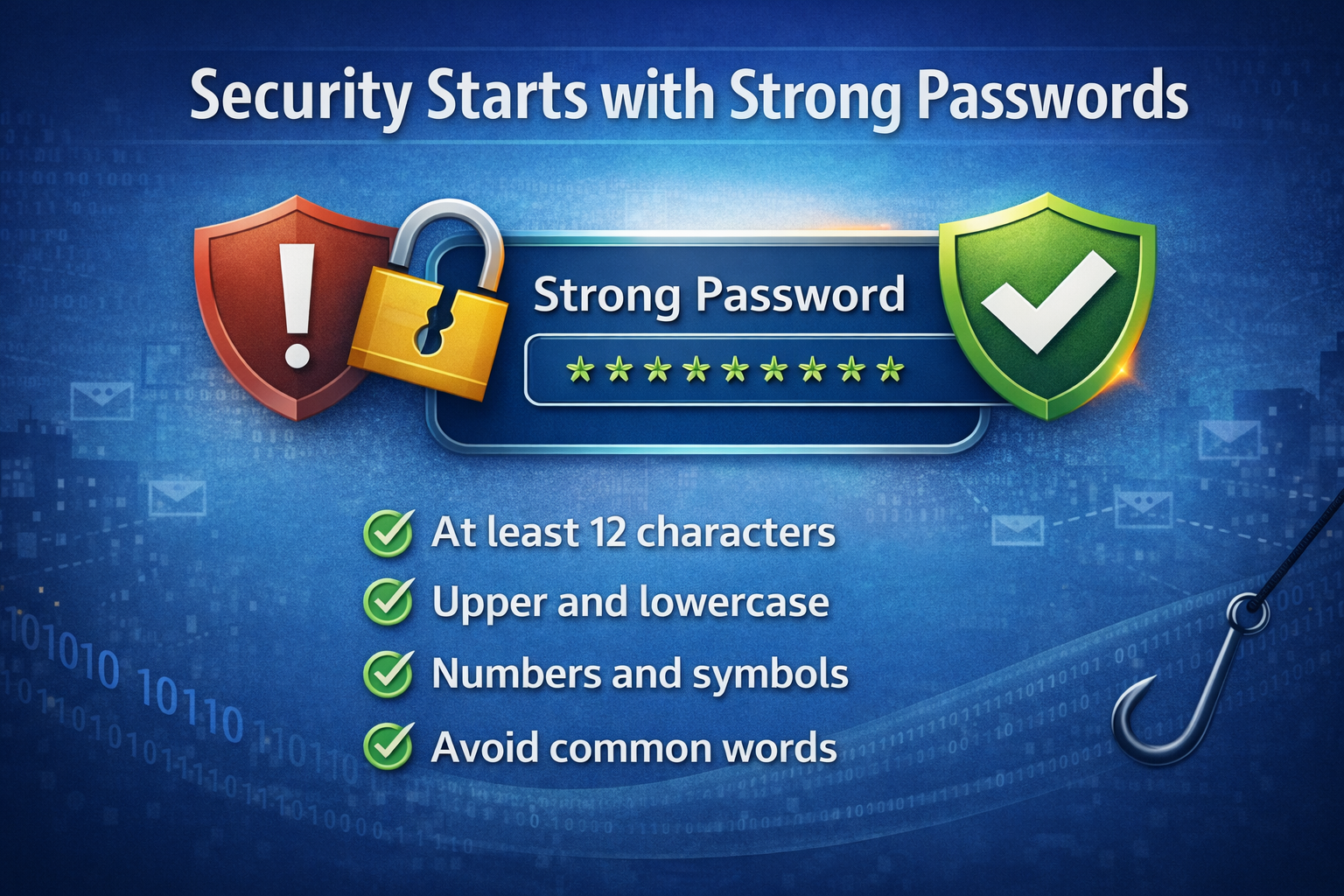
In today’s digital landscape, passwords are the first line of defense for our personal and professional data. With the ever-growing threat landscape and the advancement of biometric login, multi-factor authentication, and encryption, passwords remain the cornerstone of cybersecurity. Unfortunately, they are also one of the weakest links often due to human error, negligence, or outdated practices. Mastering the art of creating and managing strong passwords is no longer optional, it’s essential. In this article I will try and help you with some of the best practices for creating and managing strong passwords.
Why Passwords Matter
Passwords act as the first line of defense from unauthorized access to your accounts, devices, and data. Weak or reused passwords are a threat actor’s dream. If your password is compromised and you reuse the password for several accounts, then the threat actor now potentially has access to all those accounts. This not only affects your personal accounts but if you reuse the same password as your company accounts, they can be affected also. For example, a single compromised employee account gives the threat actor access into the corporate account and can serve as the entry point for ransomware and can cripple an entire business. Mastering strong passwords is not just a personal responsibility but it is critical for corporate cybersecurity.
What are Weak Passwords
Weak passwords are often short, predictable, and easily discoverable personal information. Here are some examples:
- Using names, birthdays, or pet names – Using part of your name or significant other’s name, birthday, or your pet’s name. This is all easily discovered from a quick social media search, we are all guilty of posting things about our life.
- Simple patterns – Things like password, 123456, or monkey
- Keyboard sequences – Things like qwerty, abc123
Threat Actor Techniques
Threat actors use several techniques to try and crack your passwords and these are automated, fast, and surprisingly effective against weak passwords.
- Brute force – They try every possible combination of characters. It could be up to a billion attempts per second.
- Dictionary attacks – They build a database of most commonly used passwords that they then apply to the account.
- Credential stuffing – When there is a compromise to a website and they steal login credentials they then use known usernames and passwords with other accounts.
This is just a small sample of techniques that the threat actors use to try and compromise various accounts.
Common Myths
Let’s talk about some common myths about passwords.
- I change my password every 30 days – Forced frequent password changes can possibly make your password weaker. People tend to use repetitive patterns like only changing one character in the password. You should change your password anytime you think one of your accounts has been breached.
- I’m not a target – The treat actors today don’t care who you are. They are using automated tools to scan the Internet for vulnerabilities.
- It is too obscure – They use automated tools and can try billions of combinations a second. They aren’t trying to guess you personally.
Creating Strong Passwords
There are several things that go into creating strong passwords. There is an article that Microsoft published back in April 2025 (Microsoft Article) with some of their recommendations.
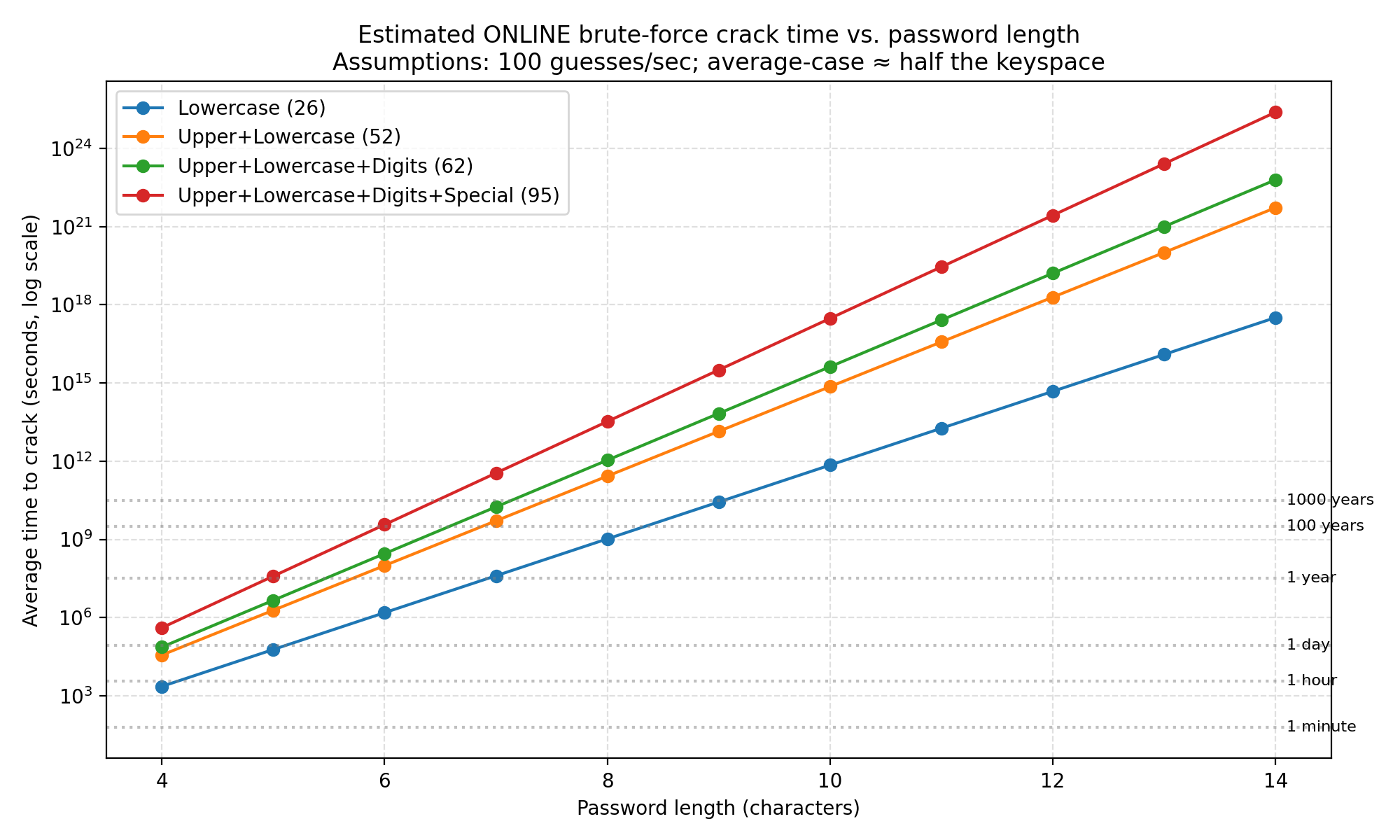
- Length - The biggest factor in creating a strong password is the length of the password. The minimum length should be at least 12 characters long. In the Microsoft article mentioned above it says if the password is at least 12 characters long that the complexity isn’t as important. (See Table Below)
- Complexity – Using a mixture of lower- and upper-case alpha characters, numerical characters, and special characters increases the time to crack the password exponentially. Just like frequent password changes this also can lead to repetitive patterns. I’ll explain below.
- Unpredictability – Try to avoid personal information, common dictionary words, or common substitutions.
- Uniqueness - Not reusing your password for all your accounts is the easiest way to control the damage of an account getting breached.
Here are some common issues that can make your strong passwords less secure.
Complexity – As you can see from the table adding complexity to your passwords exponentially increases the time to brute force your password. People are creatures of habit, and the threat actors know this, so they factor these items into their automated tools.
- Take Password01! This would take 180k years to brute force but, most people follow this pattern. The first character is capital, the last character is a special character, and the last two are numeric. Following this pattern the threat actors program their tools to use this pattern which makes it much easier for them to breach the account.
- Substitutions like using $ for s, @ for a, or 1 for l. This is also one thing the threat actors know, and they use the substitutions in their tools
Saving Passwords in the Browser
Do not allow the browser to save the passwords for your accounts. Instead, if you are using a password manager most of them have browser plug-ins and will accomplish the same thing and they are more secure than your browser.
Managing Your Strong Passwords
Use a password manager, something like LastPass, 1Password, or KeePassXC, and you only have to remember one strong password to authenticate with the password manager. Most of the current password managers have a password generator to create random passwords. These are almost impossible to remember but also the most secure. Only use password managers that are from reputable providers.
Strong Password Examples
Use a passphrase, this is where you string multiple words together. Also, you can use a formula to create memorable but strong passwords.
- lionstigersbears – This is 16 characters long and it is very easily remembered
- MtFbwyA!2025 – Use a quote from your favorite movie “May the force be with you always”. You can take the first letter from each word in the quote to create your password, and you can add complexity to it to make it stronger.
Multi-Factor Authentication
The addition of multi-factor authentication (MFA) with your strong password can enhance your security with the accounts they are protecting. More on MFA in a future article.
What to do After a Compromise
If you suspect that one of your accounts has been compromised:
- Change your password immediately
- If the password is reused, change the password on the other accounts
- If possible, enable MFA on the account
- Monitor the account for any suspicious activity
Conclusion
Strong passwords are your first and most essential defense against cyber threats. By creating long, complex, and unique passwords can significantly reduce your risk of cyberattacks. Don’t make it easy for threat actors to breach your accounts. By adopting these best practices and fostering a culture of cybersecurity awareness, you can protect your digital assets and stay one step ahead of the threat actors. If we can help you or your business in any way, please feel free to reach out to us.